Click to play
x
Controls

Controls

PC Controls

  • W / up arrow key = accelerate
  • S / down arrow key = move backward
  • A / left arrow key = turn left
  • D / right arrow key = turn right
  • Space = handbrake
  • 1 = choose to take the left upgrade
  • 2 = choose to take the right upgrade
  • 3 = choose to take both upgrades

Mobile Controls

  • Switch toggle between D / R = move forward / backward
  • Tap on the left screen = turn left
  • Tap on the right screen = turn right

(In mobile mode, the car accelerates automatically.)

Zombie Drive Survivor

Zombie Drive Survivor

Zombie Drive Survivor
Click to play
This game is not available on mobile.
rotate phone

Survive the Horde in Zombie Drive Survivor – The Ultimate 3D Driving Challenge

Zombie Drive Survivor revs up the action with high-speed drifting, zombie-killing fun at every turn. This adrenaline-pumping Top-Down 3D game throws you into a battle against hordes of the undead as you tear through streets, smash obstacles, and use every weapon in your arsenal. With explosive Crash effects, brutal Destroy mechanics, and endless Survival challenges, you’ve never played a driving game like this before. And all this madness is just a click away on Agame, where the action never slows down.

Smooth Controls, Brutal Action – Master Zombie Drive Survivor Mechanics

Get behind the wheel of your ride and take control in real-time. Whether on PC or mobile, Zombie Drive Survivor gives you the tools to dominate the road. Precision handling, power-ups, and weapon upgrades give you the edge against the undead. Here’s how to take over:

  • PC Controls: W / up arrow key = accelerate, S / down arrow key = move backward, A / left arrow key = turn left, D / right arrow key = turn right, Space = handbrake, 1 = choose to take the left upgrade, 2 = choose to take the right upgrade, 3 = choose to take both upgrades
  • Mobile Controls: Switch toggle between D / R = move forward / backward, Tap on the left screen = turn left, Tap on the right screen = turn right (In mobile mode, the car accelerates automatically)
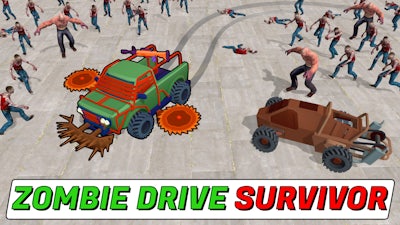
Zombie Drive Survivor Gameplay

Stay Sharp – Top Strategies for Zombie Drive Survivor

Survival in Zombie Drive Survivor isn’t just about speed—it’s about strategy. Know when to Crash through hordes or Destroy enemy cars with a well-timed drift. Collect resources dropped by zombies to level up and unlock Killing weapons like flamethrowers, rocket launchers, and Molotov cocktails. Upgrade your car and weapons to stay ahead, and keep an eye on your damage level. Burnout is real, but with smart Survival tactics, you can push through endless waves of the undead. Play on Zombie Drive Survivor and prove you’re the last driver standing.

Ready to tear through hordes and drive your way to victory? Head over to Agame and fire up Zombie Drive Survivor now. With Horde Survival challenges, Car upgrades, and Drifting action, this is the driving game you’ve been waiting for—no need to wait, the zombies won’t stop for you.


Instructions:

Controls

PC Controls

  • W / up arrow key = accelerate
  • S / down arrow key = move backward
  • A / left arrow key = turn left
  • D / right arrow key = turn right
  • Space = handbrake
  • 1 = choose to take the left upgrade
  • 2 = choose to take the right upgrade
  • 3 = choose to take both upgrades

Mobile Controls

  • Switch toggle between D / R = move forward / backward
  • Tap on the left screen = turn left
  • Tap on the right screen = turn right

(In mobile mode, the car accelerates automatically.)

Customise Consent Preferences Close

We use cookies to help you navigate efficiently and perform certain functions. You will find detailed information about all cookies under each consent category below.

The cookies that are categorised as "Necessary" are stored on your browser as they are essential for enabling the basic functionalities of the site.

Always Active

Necessary cookies are required to enable the basic features of this site, such as providing secure log-in or adjusting your consent preferences. These cookies do not store any personally identifiable data.

Functional cookies help perform certain functionalities like sharing the content of the website on social media platforms, collecting feedback, and other third-party features.

Analytical cookies are used to understand how visitors interact with the website. These cookies help provide information on metrics such as the number of visitors, bounce rate, traffic source, etc.

Advertisement cookies are used to provide visitors with customised advertisements based on the pages you visited previously and to analyse the effectiveness of the ad campaigns.

We also use third-party cookies that help us analyse how you use this website, store your preferences, and provide the content and advertisements that are relevant to you. These cookies will only be stored in your browser with your prior consent.


You can choose to enable or disable some or all of these cookies but disabling some of them may affect your browsing experience.