Click to play
x
Controls

Controls

Player 1

  • W = rotate
  • A = move right
  • D = move left
  • S = move down
  • L-Shift + A / D = dash horizontally
  • Q = activate power-up
  • E = activate curse

Player 2

  • I = rotate
  • J = move left
  • L = move right
  • K = move down
  • R-Shift + J / L = dash horizontally
  • U = activate power-up
  • O = activate curse
Space Zoo

Space Zoo

Space Zoo
Click to play
This game is not available on mobile.
rotate phone

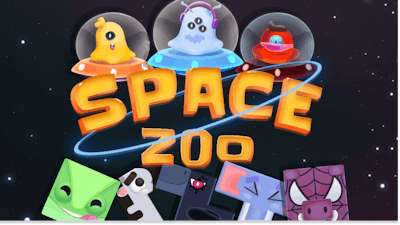
Space Zoo: Gravity‑Defying Stacking Action

Imagine a zoo where every critter doubles as a brick. In Space Zoo, you fling animals into orbit, then watch them tumble, bounce, and lock into place. The goal? Build the tallest, most stable tower before the alien gravity pulls everything apart. Every animal has its own weight, shape, and quirk. Miss a move and the whole structure collapses. It’s a frantic mix of physics, puzzle, and pure adrenaline. That’s why players keep coming back—each round feels fresh, each tower a brag‑worthy triumph.

Controls are razor‑sharp and split for a 2 Player showdown. Master both sets to dominate the arena:

  • Player 1: W = rotate, A = move right, D = move left, S = move down, L‑Shift + A/D = dash horizontally, Q = activate power‑up, E = activate curse.
  • Player 2: I = rotate, J = move left, L = move right, K = move down, R‑Shift + J/L = dash horizontally, U = activate power‑up, O = activate curse.
Space Zoo Gameplay

Space Zoo Strategy Tips

Think Tetris, but with Alien physics. The key is to plan your stacking sequence before the first animal lands. Heavy beasts belong at the base; light, bouncy ones work best near the top. Use dashes to slide pieces into tight gaps—every millisecond counts. Power‑ups can freeze gravity for a few seconds, giving you a window to place a precarious piece without the whole tower wobbling. Curses reverse that advantage, so learn to anticipate opponent moves in 2 Player mode. Keep an eye on the “building meter”; each completed layer unlocks a new animal with a unique shape, raising the difficulty curve and the reward.

Play Space Zoo Now

Ready to prove you can out‑build an alien zoo? Grab a friend, fire up Agame, and start stacking today. The galaxy’s most daring tower awaits—don’t let gravity win.


Instructions:

Controls

Player 1

  • W = rotate
  • A = move right
  • D = move left
  • S = move down
  • L-Shift + A / D = dash horizontally
  • Q = activate power-up
  • E = activate curse

Player 2

  • I = rotate
  • J = move left
  • L = move right
  • K = move down
  • R-Shift + J / L = dash horizontally
  • U = activate power-up
  • O = activate curse
Customise Consent Preferences Close

We use cookies to help you navigate efficiently and perform certain functions. You will find detailed information about all cookies under each consent category below.

The cookies that are categorised as "Necessary" are stored on your browser as they are essential for enabling the basic functionalities of the site.

Always Active

Necessary cookies are required to enable the basic features of this site, such as providing secure log-in or adjusting your consent preferences. These cookies do not store any personally identifiable data.

Functional cookies help perform certain functionalities like sharing the content of the website on social media platforms, collecting feedback, and other third-party features.

Analytical cookies are used to understand how visitors interact with the website. These cookies help provide information on metrics such as the number of visitors, bounce rate, traffic source, etc.

Advertisement cookies are used to provide visitors with customised advertisements based on the pages you visited previously and to analyse the effectiveness of the ad campaigns.

We also use third-party cookies that help us analyse how you use this website, store your preferences, and provide the content and advertisements that are relevant to you. These cookies will only be stored in your browser with your prior consent.

You can choose to enable or disable some or all of these cookies but disabling some of them may affect your browsing experience.