Controls
- AD or left and right arrow keys to move
- W or up arrow key to jump
- Left-click to dig or place blocks
- E to open inventory or chests
- F to eat and hold an item
- Space to split an item from the stack in the crafting menu
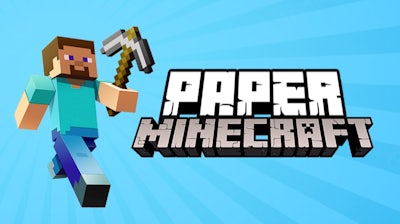


Imagine Minecraft’s block‑building hype, stripped down to crisp 2D pixel art and cranked up with side‑scrolling chaos. Paper Minecraft drops you into a sandbox where every block matters, every zombie lurks, and every monster can turn a solo run into a survival showdown. One‑player mode lets you craft, collect, and conquer at your own pace, while the retro Scratch vibe keeps the experience light yet addictive.
Master the controls, then let the world unfold:
These simple inputs give you full control over mining, building, and battling in a true 2D Minecraft experience.
Start by punching trees, gathering wood, and crafting a basic pick. The early game is all about collecting resources fast enough to stay ahead of the night‑time zombie swarm. Upgrade to stone tools, then iron, and you’ll notice the pace shift: you can mine deeper, build taller, and fend off monsters with less hassle. Keep an eye on your hunger bar; food stacks like bread or cooked meat keep you alive long enough to explore cavern systems packed with ores.
Progress hinges on smart crafting and block placement. Build a shelter before dusk, then expand into a multi‑room base with hidden chests. Use the side‑scrolling view to scout for caves, then backtrack with a map of your own design. The more you automate—furnaces, farms, mob grinders—the less you’ll grind, and the more you’ll focus on creative builds or epic monster fights.
Ready to stack blocks, beat zombies, and dominate a 2D sandbox? Jump straight into Paper Minecraft on Agame and start crafting your own pixel‑perfect empire. The world waits—pick up that pickaxe and own the block.

We use cookies to help you navigate efficiently and perform certain functions. You will find detailed information about all cookies under each consent category below.
The cookies that are categorised as "Necessary" are stored on your browser as they are essential for enabling the basic functionalities of the site.
Necessary cookies are required to enable the basic features of this site, such as providing secure log-in or adjusting your consent preferences. These cookies do not store any personally identifiable data.
Functional cookies help perform certain functionalities like sharing the content of the website on social media platforms, collecting feedback, and other third-party features.
Analytical cookies are used to understand how visitors interact with the website. These cookies help provide information on metrics such as the number of visitors, bounce rate, traffic source, etc.
Advertisement cookies are used to provide visitors with customised advertisements based on the pages you visited previously and to analyse the effectiveness of the ad campaigns.
We also use third-party cookies that help us analyse how you use this website, store your preferences, and provide the content and advertisements that are relevant to you. These cookies will only be stored in your browser with your prior consent.
You can choose to enable or disable some or all of these cookies but disabling some of them may affect your browsing experience.