Click to play
x
Controls
Mouse click or tap to play
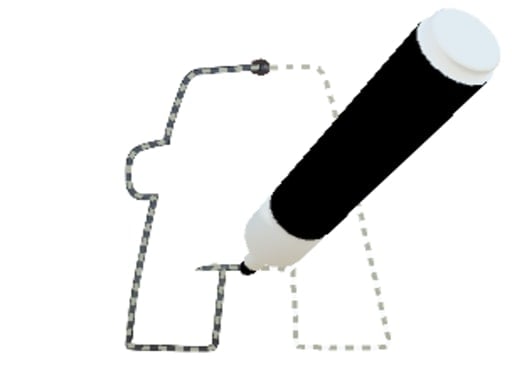
Letter Layout Coloring
















Click to play
This game is not available on mobile.

Letter Layout Coloring throws you into a bright, kinetic puzzle arena where every tap reshapes the alphabet. Kids and seasoned word hunters alike feel the rush as letters snap into place, forming vivid words that light up the screen. The game blends the instant gratification of a clicker with the creative spark of a drawing canvas, delivering an Arcade vibe that feels right at home on any Mobile device. Powered by Unity3D and optimized for WebGL, the experience runs smooth on browsers and tablets, making it the perfect pick‑up‑and‑play title for quick breaks or marathon sessions.
Gameplay boils down to a single, intuitive action: mouse click or tap to play. Master the flow with these core controls:
Staying ahead means thinking a step ahead of the shifting board. Prioritize clearing longer words first; they trigger bigger combos and unlock bonus rounds faster. Keep an eye on the color palette—matching same‑hue letters yields extra points, turning a simple word into a high‑score chain. For kids, start with short, familiar words to build confidence, then graduate to multi‑syllable challenges as the layout grows more complex. The built‑in clicker mechanic rewards rapid tapping, so practice quick finger drills to shave seconds off each move. Progression is marked by themed stages, each introducing new obstacles like locked tiles or rotating grids, ensuring the gameplay never feels stale.
Ready to put your vocabulary to the test? Jump straight into Letter Layout Coloring and feel the rush of a true Arcade hit. Agame brings the title to your fingertips, optimized for any Mobile browser with flawless WebGL performance. Grab a few minutes, tap, drag, and watch the letters burst into color—your next high score is just a click away.

We use cookies to help you navigate efficiently and perform certain functions. You will find detailed information about all cookies under each consent category below.
The cookies that are categorised as "Necessary" are stored on your browser as they are essential for enabling the basic functionalities of the site.
Necessary cookies are required to enable the basic features of this site, such as providing secure log-in or adjusting your consent preferences. These cookies do not store any personally identifiable data.
Functional cookies help perform certain functionalities like sharing the content of the website on social media platforms, collecting feedback, and other third-party features.
Analytical cookies are used to understand how visitors interact with the website. These cookies help provide information on metrics such as the number of visitors, bounce rate, traffic source, etc.
Advertisement cookies are used to provide visitors with customised advertisements based on the pages you visited previously and to analyse the effectiveness of the ad campaigns.
We also use third-party cookies that help us analyse how you use this website, store your preferences, and provide the content and advertisements that are relevant to you. These cookies will only be stored in your browser with your prior consent.
You can choose to enable or disable some or all of these cookies but disabling some of them may affect your browsing experience.