Click to play
x
Controls

Controls

Keyboard

  • Z = smash attack
  • X = ground smash attack
  • Hold Space = jump and stomp
  • Hold C = laser (Use up arrow key / W and down arrow key / S to set the angle)
  • Left arrow key / A = move left
  • Right arrow key / D: Move right

Gamepad (Xbox / PS)

  • X / square = smash attack
  • Y / triangle = ground smash attack
  • Hold A / cross = jump and stomp
  • Hold B / circle = laser (up and down / D-pad to set the angle)
  • Left and right (D-pad) = move and trample

Laser Lizard also supports touchscreen, if you are on mobile you should see virtual buttons with the same layout as the gamepads.

Laser Lizard

Laser Lizard

Laser Lizard
Click to play
This game is not available on mobile.
rotate phone

Laser Lizard – 2D Pixel Chaos on a Side‑Scrolling Street

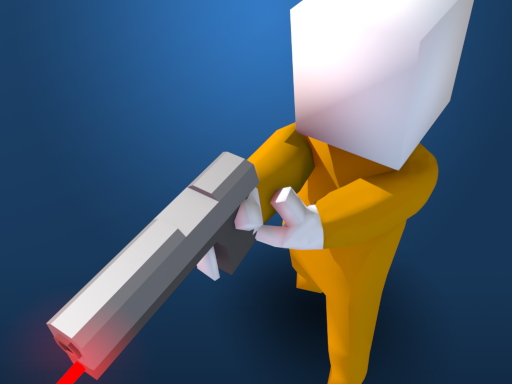
Picture a neon‑lit city, a towering Pixel Dinosaur with a laser‑blazing jaw, and a legion of monster soldiers trembling at the sight. You are that lizard. Every step shatters concrete, every roar destroys anything that dares to block the rampage. The streets become your playground, the sky your canvas. The more mayhem you cause, the higher the Rampage Bar climbs—push it to max and slip into Shin mode, a temporary burst of unstoppable power. This isn’t just a game; it’s a demolition derby for the ages, and Agame’s latest title nails the thrill.

Controls & Combat – Master the Laser

Every button feels like a weapon. Pick your platform, then unleash the fury exactly as designed.

  • Keyboard: Z = smash attack, X = ground smash, Hold Space = jump & stomp, Hold C = laser (use ↑/W and ↓/S to aim), ←/A = move left, →/D = move right.
  • Gamepad (Xbox/PS): X / Square = smash, Y / Triangle = ground smash, Hold A / Cross = jump & stomp, Hold B / Circle = laser (aim with up/down or D‑pad), D‑pad left/right = move and trample.
  • Touchscreen: Virtual buttons mirror the gamepad layout, giving mobile players the same brutal precision.

Laser Lizard Gameplay

Strategy & Addictiveness – Keep the Rampage Burning

Don’t waste laser blasts on low‑value targets. Aim for clusters of enemy troops or the towering billboards that block sight lines. A well‑placed ground smash can topple a building, exposing hidden monster spawns and boosting your score. When the Rampage Bar peaks, trigger Shin mode immediately—your laser gains a wider cone, and the smash attack gains extra knock‑back. Use the jump‑and‑stomp to dodge incoming artillery; timing is everything. Each level introduces a new pixel boss with unique attack patterns. Learn the pattern, hit the weak spot, and watch the bar skyrocket. The 2D side‑scrolling layout rewards fast reflexes and strategic positioning, turning every run into a high‑score chase.

Ready to tear up the streets and become the ultimate laser‑powered terror? Play Laser Lizard now, and let Agame’s signature pixel fury redefine your arcade cravings. Join the destruction, dominate the leaderboards, and prove you’ve got the bite to rule the neon jungle.

Instructions:

Controls

Keyboard

  • Z = smash attack
  • X = ground smash attack
  • Hold Space = jump and stomp
  • Hold C = laser (Use up arrow key / W and down arrow key / S to set the angle)
  • Left arrow key / A = move left
  • Right arrow key / D: Move right

Gamepad (Xbox / PS)

  • X / square = smash attack
  • Y / triangle = ground smash attack
  • Hold A / cross = jump and stomp
  • Hold B / circle = laser (up and down / D-pad to set the angle)
  • Left and right (D-pad) = move and trample

Laser Lizard also supports touchscreen, if you are on mobile you should see virtual buttons with the same layout as the gamepads.


Customise Consent Preferences Close

We use cookies to help you navigate efficiently and perform certain functions. You will find detailed information about all cookies under each consent category below.


The cookies that are categorised as "Necessary" are stored on your browser as they are essential for enabling the basic functionalities of the site.

Always Active

Necessary cookies are required to enable the basic features of this site, such as providing secure log-in or adjusting your consent preferences. These cookies do not store any personally identifiable data.

Functional cookies help perform certain functionalities like sharing the content of the website on social media platforms, collecting feedback, and other third-party features.

Analytical cookies are used to understand how visitors interact with the website. These cookies help provide information on metrics such as the number of visitors, bounce rate, traffic source, etc.

Advertisement cookies are used to provide visitors with customised advertisements based on the pages you visited previously and to analyse the effectiveness of the ad campaigns.

We also use third-party cookies that help us analyse how you use this website, store your preferences, and provide the content and advertisements that are relevant to you. These cookies will only be stored in your browser with your prior consent.

You can choose to enable or disable some or all of these cookies but disabling some of them may affect your browsing experience.