Click to play
x
Controls

Controls

Players Controls

  • WASD / arrow keys = walk around
  • Left-click / space / X = use an equipped item
  • 1, 2, 3 = Equip an item
  • E = drive a ship / use a cannon

Ship Controls

  • AD / left and right arrow keys = turn left / right
  • WS / up and down arrow keys = speed up / slow down

Cannon Controls

  • Move mouse = aim
  • Left-click / space / X = shoot
Land Ho!

Land Ho!

Land Ho!
Click to play
This game is not available on mobile.
rotate phone

Land Ho! – Pirate Mayhem in Pixel‑Perfect 2D

Command a ragged boat on a sprawling top‑down sea, where every island hides gold and every rival is a cut‑throat pirate. The moment you drop anchor, the battle begins. Sink foes, raid settlements, and watch your loot pile grow while the salty wind whistles. This isn’t a solo slog; the arena explodes with multiplayer chaos, so bring a crew with friends and claim the horizon as your own.

Controls Overview

Master the deck and dominate the waves with a tight control scheme.

  • Walk: WASD or arrow keys – move your pirate around the island.
  • Use Item: Left‑click / space / X – trigger the equipped gadget.
  • Equip Item: 1, 2, 3 – swap between swords, grenades, or maps.
  • Board / Cannon: E – hop onto your boat and ready the cannon.
  • Steer Ship: AD or left/right arrows – turn; WS or up/down arrows – throttle.
  • Aim Cannon: Move mouse – line up the shot; Left‑click / space / X – fire.
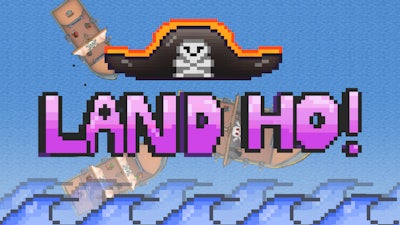
Land Ho! Gameplay

Success hinges on timing and positioning. Snag a treasure map, then dash to the nearest island before the cannonball lands. Upgrade your pixel ship with faster sails and stronger hulls to outpace rivals. Keep an eye on the mini‑map: a sudden battle nearby signals a gold rush—rush in, loot fast, and retreat before the enemy flanks you. Pair up with allies, coordinate cannon volleys, and watch enemy crews crumble under coordinated fire. The loop of raid, loot, upgrade, and dominate keeps the adrenaline humming.

Ready to raise the Jolly Roger and prove you’re the ultimate sea‑raider? Jump into Land Ho! now, and let Agame’s razor‑sharp 2D combat turn your pirate fantasies into pixel‑perfect victories. Grab your crew, set sail, and let the high‑stakes multiplayer chaos begin.

Instructions:

Controls

Players Controls

  • WASD / arrow keys = walk around
  • Left-click / space / X = use an equipped item
  • 1, 2, 3 = Equip an item
  • E = drive a ship / use a cannon

Ship Controls

  • AD / left and right arrow keys = turn left / right
  • WS / up and down arrow keys = speed up / slow down

Cannon Controls

  • Move mouse = aim
  • Left-click / space / X = shoot
Customise Consent Preferences Close

We use cookies to help you navigate efficiently and perform certain functions. You will find detailed information about all cookies under each consent category below.

The cookies that are categorised as "Necessary" are stored on your browser as they are essential for enabling the basic functionalities of the site.

Always Active

Necessary cookies are required to enable the basic features of this site, such as providing secure log-in or adjusting your consent preferences. These cookies do not store any personally identifiable data.

Functional cookies help perform certain functionalities like sharing the content of the website on social media platforms, collecting feedback, and other third-party features.

Analytical cookies are used to understand how visitors interact with the website. These cookies help provide information on metrics such as the number of visitors, bounce rate, traffic source, etc.

Advertisement cookies are used to provide visitors with customised advertisements based on the pages you visited previously and to analyse the effectiveness of the ad campaigns.

We also use third-party cookies that help us analyse how you use this website, store your preferences, and provide the content and advertisements that are relevant to you. These cookies will only be stored in your browser with your prior consent.

You can choose to enable or disable some or all of these cookies but disabling some of them may affect your browsing experience.