Dino Squad Adventure 2 – Chaos Meets the Cretaceous
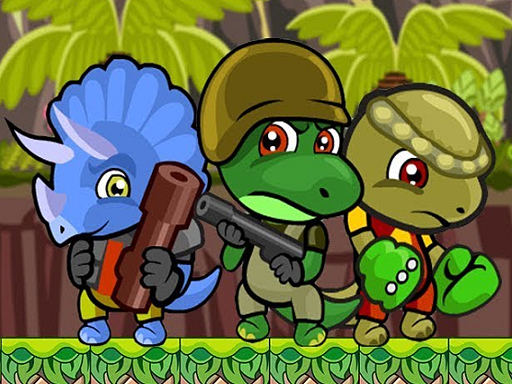
Two dino‑riders, a maze of platforms, and a horde of hostile fossils. The sequel drops a fresh dinosaur into the mix, and the new recruit brings a wild skill set. Switch, blast, and bomb your way through neon‑lit ruins while chasing gold. The game blends frantic action with goofy, kid‑friendly humor. If you love fast‑paced 2 Player Games that feel both epic and funny, this is the title that keeps the controller shaking.
Mechanics
Control the squad with tight, responsive inputs. Player 1 commands the original dino, while Player 2 pilots the newcomer. Every move feels weighted, every jump snaps you onto the next platform. The arena is a sprawling maze that rewards quick reflexes and clever character swaps.
- Player 1 Move: W A S D
- Player 1 Shoot: F
- Player 1 Bomb: G
- Player 1 Switch character: Q
- Player 2 Move: Arrow keys
- Player 2 Punch: L
- Player 2 Switch character: U
- Wall jump: use jump key while hanging on the wall
Strategy
Master the art of character swapping. The original dino excels at long‑range blasts, while the new recruit thrives in close combat. Keep one on the front line and the other ready to drop a bomb on hidden traps. Collect every gold nugget; they unlock bonus levels and power‑ups that boost attack speed and jump height. Watch enemy patterns—many hostile dinosaurs pause before they strike, giving you a split‑second to wall‑jump and reposition. Teamwork is key: coordinate punches and bombs to clear dense clusters of foes. Upgrade your weapons in the shop to maintain an edge as the maze grows tighter and the enemies tougher.
Ready to dominate the prehistoric arena? Jump into Dino Squad Adventure 2 now and experience the chaos that only a true 2 Player platform showdown can deliver. Play it on Agame and prove you’ve got the reflexes to survive the ultimate dinosaur showdown.
Game controls Player 1 Move W A S D Shoot F Bomb G Switch character Q Player 2 Move ARROW KEYS Punch L Switch character U To do wall jump use jump key during you are hanging on the wall