Craft 3D – The Ultimate Block Playground from Agame
Imagine a sandbox where every block obeys your command, where skyscrapers rise in seconds and terrain shifts at a tap. That’s Craft 3D, a fast‑paced, Minecraft‑style 3D builder that lets you shape endless worlds without the fluff. Grab a pick, stack a wall, watch your creation dominate the horizon. If you love building, this is the arena where your imagination finally gets the space it deserves.
Controls & Core Mechanics
Master the grid with a handful of keys and clicks. The whole system fits on one hand, so you can focus on the next epic structure.
- Movement: WASD or Arrow Keys – walk the terrain.
- Vertical: R – climb up, F – drop down.
- View: Mouse – look around.
- Create: Left‑click – place a block.
- Destroy: Right‑click – break a block.
- Floor Duplicator: Press P to clone the current floor.
- Return Home: X – teleport back to start.
- Block Colors: 0 Grey, 1 Black, 2 White, 3 Red, 4 Green, 5 Blue, 6 Yellow.
Strategic Building Tips
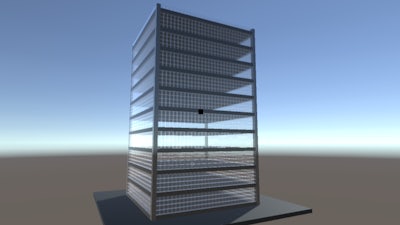
Start small, then unleash the floor duplicator to multiply your design in seconds. Layer colors to add depth, and use the terrain generator for ready‑made landscapes that spark new ideas. Keep an eye on block limits; efficient stacking lets you reach higher without draining resources. Experiment with different block types—grey for foundations, red for accents—to make each structure feel unique. The more you play, the better you’ll learn the sweet spot between speed and detail, turning every session into a race against your own creativity.
Ready to dominate the sandbox? Jump into Craft 3D now and start building the skyline of your dreams. Agame has crafted the perfect arena for block lovers—grab your mouse, place that first block, and watch the world reshape around you.