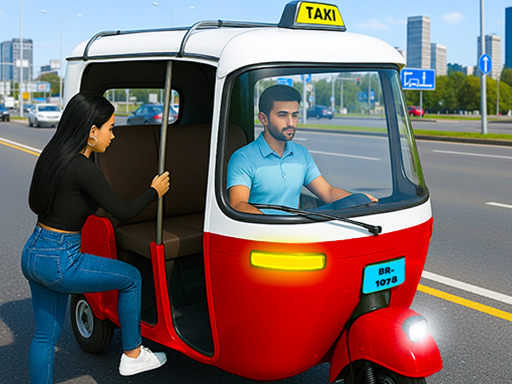
City Auto Rickshaw Game – Urban Chaos in a TukTuk
Street lights flicker, traffic roars, and you’re behind the wheel of a turbo‑charged TukTuk. Every corner hides a new passenger, a fresh shortcut, or a high‑score chance. This isn’t just a ride‑share simulator; it’s a full‑throttle racing playground where timing, reflexes, and route planning decide who dominates the city grid. Agame brings the hustle of metropolitan driving straight to your fingertips, and the moment you hit the accelerator, the city becomes your arena.
How to Control Your TukTuk
Master the keyboard layout, then let the streets speak. Each key maps to a precise movement, giving you pinpoint control over acceleration, braking, and steering. Combine these inputs with mouse clicks to activate boost pads, honk at traffic, or trigger special abilities.
- W Arrow Up rarr Move Front
- S Arrow Down rarr Move Back
- A Arrow Left rarr Move Left
- D Arrow Right rarr Move Right - To click any button use mouse
Winning the Streets
Speed isn’t everything—strategy is. Start by choosing a TukTuk that matches your playstyle; some favor raw acceleration, others excel in handling tight corners. Upgrade the engine, enhance the suspension, and fine‑tune the brakes to keep your car-like performance on point. Learn the city’s pulse: shortcuts through alleys shave precious seconds, while busy avenues offer higher fare payouts. Keep an eye on the fuel gauge; a well‑timed pit stop can be the difference between a podium finish and a busted engine. Remember, every successful drop adds cash, and cash buys better parts, creating a virtuous loop of improvement. Play the traffic lights like a pro, use the mouse‑activated boost at the right moment, and you’ll turn ordinary rides into high‑octane racing sessions.
Feel the rush of city driving and prove you have what it takes to become the ultimate TukTuk champion. Jump into the action now—visit Agame for more titles, or head straight to City Auto Rickshaw Game and start your ascent today.
W Arrow Up rarr Move Front S Arrow Down rarr Move Back A Arrow Left rarr Move Left D Arrow Right rarr Move Right - To click any button use mouse