Build with Cubes 2 – Block‑by‑Block Mastery
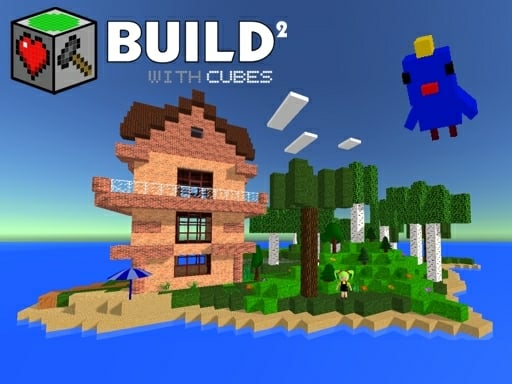
Imagine a sandbox where every brick obeys physics, every portal bends space, and every structure springs from your imagination. Build with Cubes 2 delivers that vibe in a fast‑loading WebGL engine, letting you shape a full 3D world without waiting for downloads. Whether you’re a fan of Minecraft aesthetics or a creator hungry for precise construction, the game hands you the tools to turn simple blocks into sprawling castles, bustling towns, or chaotic physics experiments. Play now and watch your ideas materialize in real time.
Mechanics
Control the cube‑filled universe with a handful of intuitive keys and mouse actions.
- Arrow keys WASD to move around and control flight
- hold LMB and move mouse to rotate camera
- Spacebar - to jump
- E to pick up objects
- LMB click to select block and place new one
- RMB to destroy any block and picked object
- Z and Q - create portals
Strategy
Start by laying a solid foundation. Use the Block grid to map out rooms before you raise walls. Align your structures with the built‑in snap system to keep everything level—no wobbling towers here. Once the basics are in place, experiment with Physics objects: bounce a ball off a trampoline, rig TNT for a controlled demolition, or set up a Rube‑Goldberg chain of gears. Portals are more than shortcuts; they become puzzle pieces. Place a portal gun on a high platform, fire a portal onto a moving platform, and watch the teleportation create new pathways. Populate your World with entities—sheep, chickens, or animated statues—to give life to the scene. Remember, the sandbox thrives on iteration: build, test, tweak, repeat. The deeper you dive into the creation tools, the richer your custom World becomes.
Ready to stack, smash, and script your own masterpiece? Jump into Build with Cubes 2 now, and let Agame be the launchpad for your next epic creation.
Arrow keys WASD to move around and control flight hold LMB and move mouse to rotate camera Spacebar - to jump E to pick up objects LMB click to select block and place new one RMB to destroy any block and picked object Z and Q - create portals