Click to play
x
Controls

Controls

  • "P" to show/hide car selector
  • "WASD", "arrows" to drive car and helicopter, and to move while on foot
  • "Space bar" to use the handbrake
  • "E" to exit/enter from the car
  • "F" to get in/get out in the car like as a passenger
  • "Q" to pause/play radio
  • "K" to kick a passenger
  • "G" to get the car up
  • "R" to signal
  • "V" to seek rocket on the military cars and helicopter
  • "l" to use the light on 3d person
  • "l" to start/stop the engine on the helicopter
  • "C" to change the camera view
  • "Enter" to type in chat
  • "ESC" to return to the menu
Free Rally: Lost Angeles

Free Rally: Lost Angeles

Free Rally: Lost Angeles
Click to play
This game is not available on mobile.
rotate phone

Free Rally: Lost Angeles – High‑Octane Chaos in an LA‑Style Industrial Maze

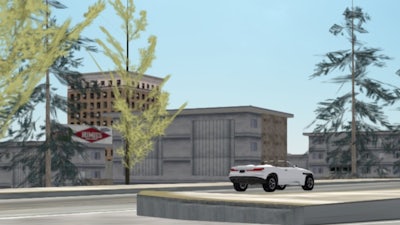
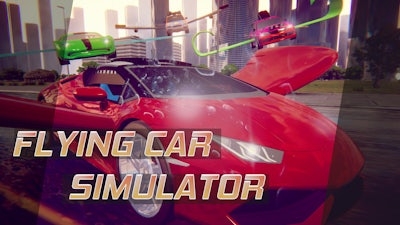
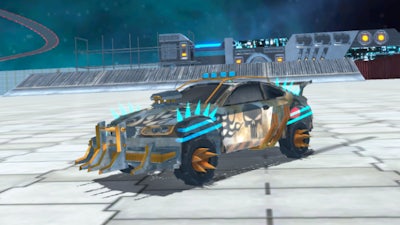
Picture a sprawling industrial city that feels like a twisted copy of Los Angeles, where every alley hides a stunt opportunity and every rooftop could launch a helicopter chase. That’s the playground of Free Rally: Lost Angeles. It’s not just another racer; it’s a full‑throttle simulation that lets you tear through traffic, soar above neon‑lit skylines, and swap roles between driver, passenger, and pilot on the fly. If you crave a multiplayer arena where the line between chaos and control blurs, this is the match you’ve been waiting for.

Controls are simple but deep. Master the keyboard layout to dominate both road and sky:

  • P – show/hide car selector.
  • WASD – drive your car on the ground.
  • Arrows – pilot the helicopter or steer while on foot.
  • Space bar – jump or use the handbrake for tight drifts.
  • E – exit or enter a vehicle.
  • F – hop in as a passenger or hop out.
  • Q – pause or play the in‑game radio.
  • K – kick a passenger when the heat is on.
  • G – lift the car up for that perfect stunt start.
  • R – signal other racers or NPCs.
  • V – lock onto rockets mounted on military trucks and the helicopter.
  • L – toggle the 3‑D person light or start/stop the helicopter engine.
  • C – cycle through camera views for the best angle.
  • Enter – open chat to trash‑talk or coordinate.
  • ESC – return to the main menu.
Free Rally: Lost Angeles Gameplay

Why You’ll Keep Coming Back

The game rewards clever positioning and risk‑taking. Learn the map’s hidden ramps, then line up a perfect jump to launch your car onto a moving truck or a low‑lying bridge. Master the helicopter’s lift‑off points to snatch a passenger mid‑air or to escape a pursuing convoy. In multiplayer matches, the best crews coordinate: one driver catapults a teammate into a high‑speed chase while the pilot circles overhead, dropping rockets on rivals. Upgrade your ride with performance parts, unlock new liveries, and earn reputation points that let you call in air support for that final showdown.

Every session feels fresh because the city is alive. Traffic patterns shift, police patrols vary, and weather toggles between smoggy dusk and bright noon, adding layers to the simulation experience. Keep an eye on the radio for random events—like a fuel truck explosion—that become impromptu stunt arenas. The more you explore, the more shortcuts and secret helicopter pads you’ll discover, turning a simple race into a strategic cat‑and‑mouse game.

Ready to dominate the streets and skies of Los Angeles? Jump into Free Rally: Lost Angeles now, and let Agame’s high‑energy playground prove you’ve got the reflexes to survive the chaos. Download, fire up the engine, and claim the title of ultimate rally king.

Instructions:

Controls

  • "P" to show/hide car selector
  • "WASD", "arrows" to drive car and helicopter, and to move while on foot
  • "Space bar" to use the handbrake
  • "E" to exit/enter from the car
  • "F" to get in/get out in the car like as a passenger
  • "Q" to pause/play radio
  • "K" to kick a passenger
  • "G" to get the car up
  • "R" to signal
  • "V" to seek rocket on the military cars and helicopter
  • "l" to use the light on 3d person
  • "l" to start/stop the engine on the helicopter
  • "C" to change the camera view
  • "Enter" to type in chat
  • "ESC" to return to the menu
Customise Consent Preferences Close

We use cookies to help you navigate efficiently and perform certain functions. You will find detailed information about all cookies under each consent category below.

The cookies that are categorised as "Necessary" are stored on your browser as they are essential for enabling the basic functionalities of the site.

Always Active

Necessary cookies are required to enable the basic features of this site, such as providing secure log-in or adjusting your consent preferences. These cookies do not store any personally identifiable data.

Functional cookies help perform certain functionalities like sharing the content of the website on social media platforms, collecting feedback, and other third-party features.

Analytical cookies are used to understand how visitors interact with the website. These cookies help provide information on metrics such as the number of visitors, bounce rate, traffic source, etc.

Advertisement cookies are used to provide visitors with customised advertisements based on the pages you visited previously and to analyse the effectiveness of the ad campaigns.

We also use third-party cookies that help us analyse how you use this website, store your preferences, and provide the content and advertisements that are relevant to you. These cookies will only be stored in your browser with your prior consent.

You can choose to enable or disable some or all of these cookies but disabling some of them may affect your browsing experience.