Click to play
x
Controls

Controls

PC Controls

  • Drag right-click = move the canvas
  • Left-click = coloring / moving the canvas (depending on the selected tool)
  • Mouse-scroll = zoom in / out
  • B = paint tool
  • H = move tool

Mobile Controls

  • One finger = coloring / moving the canvas (depending on the selected tool)
  • Two fingers = zoom and move (it is recommended to do this with the "move" tool so as not to accidentally mess up)
Cross Stitch

Cross Stitch

Cross Stitch
Click to play
This game is not available on mobile.
rotate phone

Agame Presents Cross Stitch: A Pixel Perfect Coloring Adventure

Get ready to unleash your creativity and relax with the soothing world of Cross Stitch, a beautifully crafted 2D embroidery coloring game from Agame. With 50 stunning pixel art designs to color, ranging from easy to expert levels, you'll be hooked from the very start.

Cross Stitch is more than just a coloring game – it's an immersive experience that lets you express your artistic side and unwind with the calming sounds and colors. Whether you're a seasoned artist or a coloring book enthusiast, this game is perfect for anyone looking for a fun and relaxing experience.
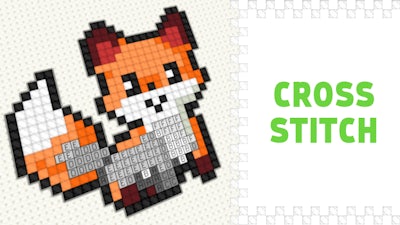
Cross Stitch Gameplay

With intuitive controls, you can easily navigate the game using your mouse or touchscreen. Here's how to get started:

  • Drag right-click to move the canvas and navigate through the design.
  • Left-click to color in the designated areas using your preferred tool.
  • Mouse-scroll to zoom in and out for a closer look.
  • B to switch to the paint tool and start coloring.
  • H to use the move tool and adjust the canvas as needed.

Mastering the art of Cross Stitch requires strategy and attention to detail. As you progress through the levels, you'll need to think ahead and plan your colors to achieve the perfect pixel-perfect design. Don't worry if you make mistakes – it's all part of the learning process!

Ready to give Cross Stitch a try? Head over to Cross Stitch on Agame and start creating your masterpiece today. With new levels and designs added regularly, you'll never run out of inspiration. Join the Agame community and discover a world of pixel-perfect coloring fun!

Explore more games and challenges at Agame and unleash your creativity in a whole new way.

Instructions:

Controls

PC Controls

  • Drag right-click = move the canvas
  • Left-click = coloring / moving the canvas (depending on the selected tool)
  • Mouse-scroll = zoom in / out
  • B = paint tool
  • H = move tool

Mobile Controls

  • One finger = coloring / moving the canvas (depending on the selected tool)
  • Two fingers = zoom and move (it is recommended to do this with the "move" tool so as not to accidentally mess up)
Customise Consent Preferences Close

We use cookies to help you navigate efficiently and perform certain functions. You will find detailed information about all cookies under each consent category below.

The cookies that are categorised as "Necessary" are stored on your browser as they are essential for enabling the basic functionalities of the site.

Always Active

Necessary cookies are required to enable the basic features of this site, such as providing secure log-in or adjusting your consent preferences. These cookies do not store any personally identifiable data.

Functional cookies help perform certain functionalities like sharing the content of the website on social media platforms, collecting feedback, and other third-party features.

Analytical cookies are used to understand how visitors interact with the website. These cookies help provide information on metrics such as the number of visitors, bounce rate, traffic source, etc.

Advertisement cookies are used to provide visitors with customised advertisements based on the pages you visited previously and to analyse the effectiveness of the ad campaigns.

We also use third-party cookies that help us analyse how you use this website, store your preferences, and provide the content and advertisements that are relevant to you. These cookies will only be stored in your browser with your prior consent.

You can choose to enable or disable some or all of these cookies but disabling some of them may affect your browsing experience.