Chicken Escape – A 3D Puzzle Adventure on the Farm
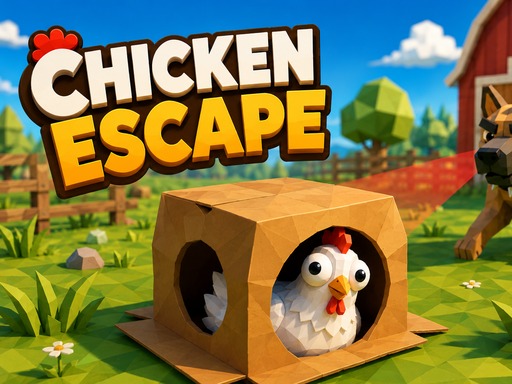
Imagine a bright farm, a mischievous chicken, and a line of sleepy dogs guarding the yard. You control that chicken, and your goal is simple: sneak past the guards, collect every golden corn grain, and burst through the gate to freedom. Each level tests your timing, your eye for patterns, and your willingness to think like a stealthy animal. The game blends classic puzzle mechanics with fast‑paced 3D action, making every escape feel fresh on mobile or desktop. If you love a clever challenge that rewards patience, this is the title you’ve been waiting for.
Mechanics
The control scheme keeps the action tight. Move, hide, dash, and pause with a handful of inputs, then focus on the visual cues that tell you when a dog’s vision cone is about to cross your path.
- Keyboard WASD or Arrows - move
- Space or E - put on take off the box
- P or Esc - pause
- Mouse click menu buttons level select and wardrobe
- Touch left side - floating joystick
- BOX button - disguise
- DASH button - sprint
Strategy
Every level starts with a quick scan of the dogs’ patrol routes. Their glowing cones reveal where you can hide and where a dash will get you caught. Use fences, haystacks, and the cardboard box to blend in. The box works like a perfect disguise, but you must stay still while a guard watches. Move only when the cone points away, then sprint through the open space to the next cover. Collect all golden corn grains; they unlock the gate and boost your star rating. Higher ratings open extra skins in the wardrobe, letting you customize both chicken and box. Experiment with different routes, and you’ll discover shortcuts that shave seconds off each run.
Ready to put your sneaking skills to the test? Grab the controller, tap the screen, and start your feathered breakout. Agame delivers the perfect blend of puzzle depth and 3D flair—jump in and claim the beacon of freedom today.
Keyboard WASD or Arrows - move Space or E - put on take off the box P or Esc - pause Mouse click menu buttons level select and wardrobe Touch left side - floating joystick BOX button - disguise DASH button - sprint