Build a Keycap Pyramid – Stack, Type, and Defend Your Tower
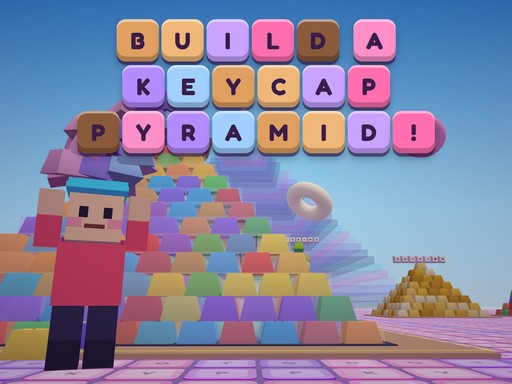
You step into a bright 3D arena where every keycap you collect adds weight to your growing pyramid. The goal is simple: gather colorful caps, stack them on your head, and watch the structure climb higher with each perfect placement. Each completed pyramid saves to your personal plot, stamped with your name, and the next build demands more skill, faster typing, and sharper reflexes. The game blends casual clicker fun with a satisfying idle progression loop, making each session feel like a quick burst of relaxation or a longer marathon of building. Whether you’re a kid discovering a cute simulator or an adult looking for a light‑hearted multiplayer challenge, the experience rewards precision and timing.
Build a Keycap Pyramid – Core Mechanics
Control the action with a mix of keyboard, mouse, and touch inputs. Move, look, jump, and interact to keep the pyramid stable while fending off glitchy raiders.
- Move WASD or arrow keys
- Look drag the mouse
- Jump Space
- Throw keycaps at raiders F or click
- Shop E
- Emotes 1-6
- Train type the letter shown on a bench or treadmill
- Mobile joystick drag to look on-screen buttons
- Gamepad supported
Build a Keycap Pyramid – Strategy and Progression
Start by sweeping up low‑value caps scattered across the map. Each cap adds a tiny block to your stack, so keep your movement smooth and your jumps timed. When you spot a raider, aim with the mouse or joystick and launch a cap to knock it back. The faster you react, the fewer caps you lose. Training stations appear as benches and treadmills; a letter flashes on the screen, and typing it correctly grants a burst of speed or a temporary shield. Mastering this typing mini‑game accelerates your building rate and unlocks higher‑value caps like gold (×10) and rainbow (×50).
As your pyramid grows, you unlock new shapes and color palettes. Choose a shape that suits your stacking style—tall, wide, or spiral—to maximize the space for future layers. Keep an eye on the daily challenges; they reward extra caps and exclusive pets that boost cash income, training efficiency, or raider resistance. Pets sit on your head or perch beside the pyramid, providing passive bonuses even when you’re offline. Builder bots continue to collect caps in idle mode, so you always return to a taller tower.
Multiplayer sessions let up to three friends join your world. Coordinate attacks on raiders, share emotes, and compare pyramid heights in real time. A shared leaderboard tracks the highest stacks, encouraging friendly competition. Remember to pause the game before logging off; your bots keep stacking, but the raider waves pause, protecting your hard‑earned progress.
Balancing speed and safety is key. Stack fast enough to reach the next tier before raiders spawn, but not so fast that the tower wobbles and collapses. Use the shop to purchase upgrades—stronger caps, faster typing drills, or extra emote slots. Each upgrade reduces the cooldown on your throws, letting you defend the pyramid with fewer interruptions.
Ready to build the tallest keycap monument you’ve ever seen? Jump into the stack, type your way to power, and defend your creation with every click. Experience the blend of casual building, clicker rewards, and typing challenges on Agame today.
Move WASD or arrow keys Look drag the mouse Jump Space Throw keycaps at raiders F or click Shop E Emotes 1-6 Train type the letter shown on a bench or treadmill Mobile joystick drag to look on-screen buttons Gamepad supported