Advent NEON: Neon‑lit Chaos on a 2D Platform
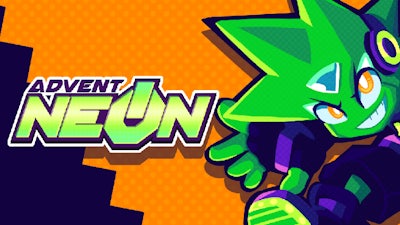
Pixel‑sharp neon corridors, pulse‑pounding synth tracks, and a relentless rush of enemies define Advent NEON. This side‑scrolling showdown throws you into a cyber‑city where every jump, dash, and punch matters. You’re not just running—you’re battling a rogue AI that wants to destroy every pixel of light you cherish. The moment you lock eyes on that glowing horizon, the urge to dominate the fight kicks in.
Controls & Gameplay
Master the controller or keyboard, then let the neon world bend to your will. The game’s input system is built for precision, whether you’re a button‑mashing veteran or a stick‑savvy pro.
- Move: WSAD / Arrows — Left Stick / D‑Pad
- Jump: Space bar / C — Bottom Face / Left Bumper
- Punch: P / Z — Left Face / Right Face + Direction Dash (O / X)
- Break Attack: Hold Dash + Press Punch + Direction — Right Bumper + Direction (or Right Stick)
- Full gamepad support: Remap inputs in Options, toggle “Tap up to Jump,” adjust stick deadzone from 10%‑85%.
- Only runs in Chromium‑based browsers (Chrome recommended). Verify controller response via Options → Video → Display Inputs.
Mastering the Neon Beat
Every level is a layered puzzle of timing and positioning. Start by memorizing enemy patterns; most foes have a tell‑tale glow before they strike. Use the dash‑punch combo to slice through clusters, then follow up with a break attack to shatter tougher foes. Keep your controller’s deadzone low for rapid direction changes—essential when the screen fills with projectiles. Upgrading your neon suit adds boost to jumps and reduces dash cooldown, letting you chain platform sections without missing a beat. The deeper you go, the more the game rewards aggressive play: destroy a wave of enemies, and a hidden speed boost appears, shaving seconds off the timer.
Ready to prove you have the reflexes to dominate this neon‑flooded battlefield? Jump into Advent NEON now, and let Agame’s latest title rewrite your definition of fast‑paced fighting. The city’s lights are waiting—hit start and light them up.
To ensure your gamepad controls are working, you can open a Visualizer for your inputs by going to Options -> Video -> Display Inputs. These show the real-time inputs from your controller regardless of what's happening in the game.